


A handy reminder on how to change the clock time in your Lexus, hopefully saving you a few minutes in the process!
Key takeaways:
- British Summer Time adds one hour on the last Sunday of March
- Greenwich Mean Time subtracts an hour on the last Sunday of October
- All new Lexus models will automatically adjust the time for you
- Many older Lexus models will also automatically adjust the time for you
- In all cases it is possible to manually adjust the time
In the UK, the clocks change twice a year between British Summer Time (BST) and Greenwich Mean Time (GMT). One hour is added on the last Sunday of March, and one hour is subtracted on the last Sunday of October. While you may need to adjust some clocks manually, all new Lexus models will automatically update the time for you.
Automatic time adjustment has been available in selected Lexus models since 2009. These models feature clocks that are integrated into their multimedia systems, which use either connected services or GPS information and map data to keep track of the correct time.
If it is necessary, owners can override this automatic function. Detailed instructions on how to manually adjust the time can be found in the owner’s handbook. However, the subheadings below provide simplified instructions on how to do this, based on the multimedia system installed from the factory.
How do I change the time on a car with Lexus Link connected services?
Models with Lexus Link Connect and Lexus Link Pro multimedia systems use internet-based connected services to automatically adjust the time.
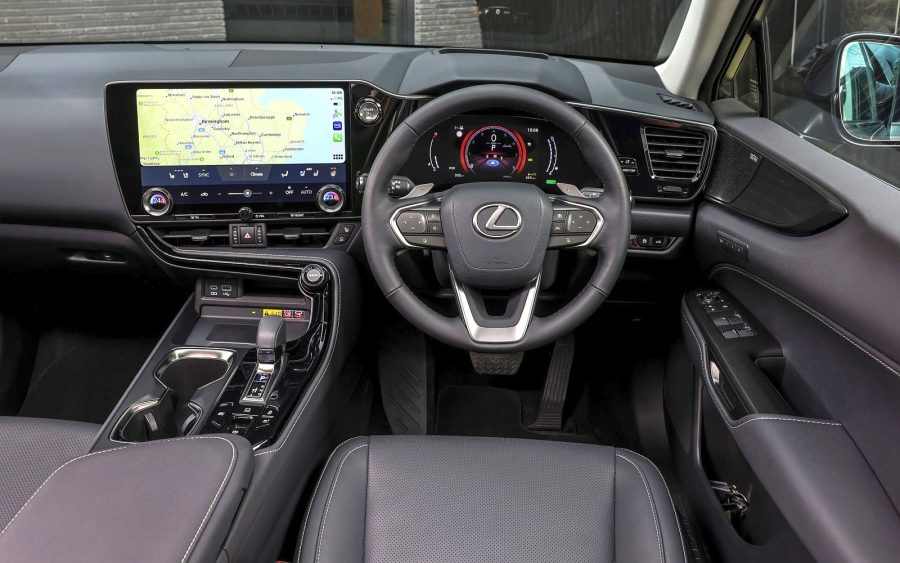
To manually override this automatic function, press the Settings icon on the main screen, then touch General within the sub-menu. Select the Date & Time option, after which you will be able to choose to manually set the time, select the time zone, and switch between 12- and 24-hour time display.
How do I change the time on a Lexus with Remote Touch Interface?
Models with Remote Touch Interface are designed to use GPS information and map data to automatically adjust the time. This function applies to both the digital clock within the multimedia system and analogue clock set into the dashboard.
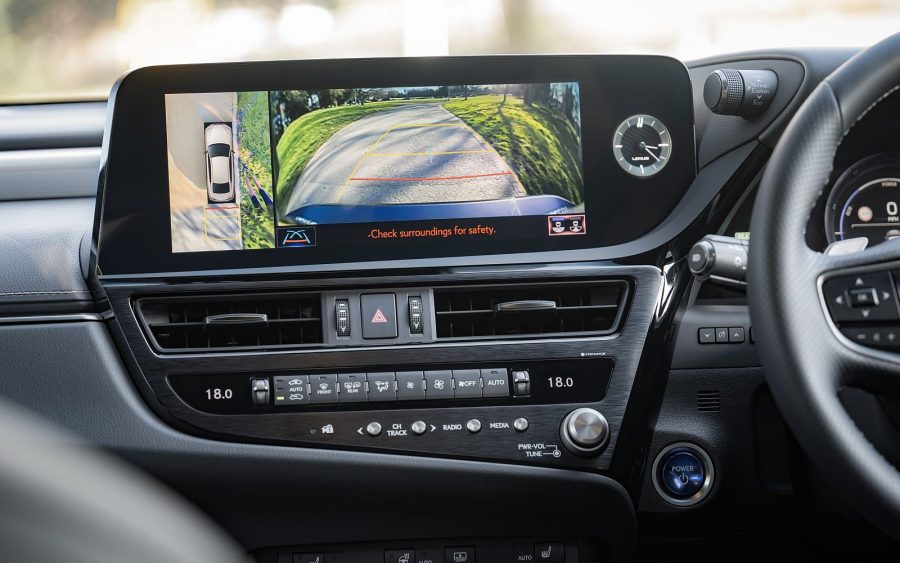
To manually override this automatic function, press the Menu button on the Remote Touch Interface and then select General Settings or Setup, followed by Clock. Here you can choose to manually set the time, select the time zone, switch between 12- and 24-hour time display (digital only), and choose whether you wish the clock to automatically adjust.
How do I change the clock on an older Lexus model?
Older Lexus models, especially those produced before 2010, used physical buttons next to the clock display to adjust the time.
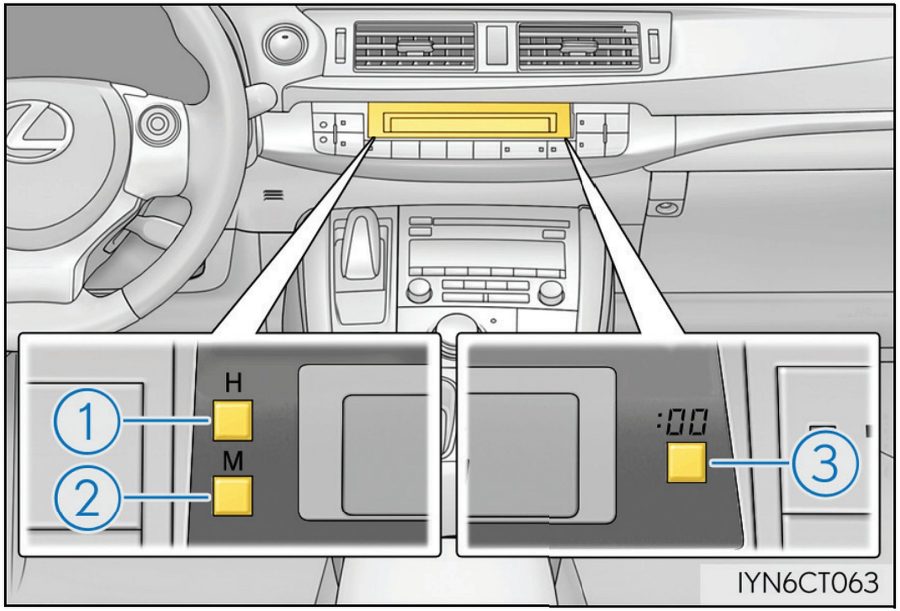
For models with a digital clock, such as the Lexus CT pictured below, pressing the H button (1) advances the clock by one hour, and the M button (2) by one minute. The :00 button (3) rounds to the nearest hour.
For models with an analogue clock, such as in the third-generation Lexus IS, pressing the button on the left moves the hands anti-clockwise and rewinds the time. Pressing the button on the right advances the hands clockwise.
FAQs
Why do the clocks change?
Clocks change twice a year to make better use of daylight. The practice was originally introduced to save energy and align waking hours with daylight.
Does my Lexus clock change automatically?
All new and many recent Lexus models automatically adjust the time using either connected services or GPS information and map data.
Why hasn’t my Lexus clock changed automatically?
Check whether automatic time adjustment is enabled in the vehicle’s settings. If your model does not support automatic adjustment, the time will need to be changed manually.
How can I tell which type of multimedia system is in my Lexus?
If you have a dedicated touchpad, joystick or mouse-like controller on the centre console of your Lexus, you have Remote Touch Interface. If your multimedia system is primarily operated through a touchscreen, you have either Lexus Link Connect or Lexus Link Pro.
What connected services are available in my Lexus?
Lexus UK provides a Connectivity Match service. This allows owners to enter their unique Vehicle Identification Number (VIN) to see what connected/multimedia services their particular vehicle supports.
What can I do if I do not have a hard copy of my owner’s manual?
Owners of Lexus models produced since 2012 can download a digital copy of their owner’s manual via this link on the Lexus UK website.




Can I adjust the time on my CT 200H on 24h mode? I have tried couple of times, but using the buttons (like in an example above) I can only set it in 12h mode. Can you help?
Good morning Radek,
Thank you for your comment. More information on how to format the date/clock can be found in the owners manual for your vehicle.
A digital version of your owners manual can be found in the link below:
https://www.lexus.co.uk/owners/about-my-lexus/manuals
We hope this helps.
Kind regards,
Lexus UK