


A handy reminder on how to change the clock time in your Lexus, hopefully saving you a few minutes in the process!
Key takeaways:
- British Summer Time adds one hour on the last Sunday of March
- Greenwich Mean Time subtracts an hour on the last Sunday of October
- All new Lexus models will automatically adjust the time for you
- Many older Lexus models will also automatically adjust the time for you
- In all cases it is possible to manually adjust the time
In the UK, the clocks change twice a year between British Summer Time (BST) and Greenwich Mean Time (GMT). One hour is added on the last Sunday of March, and one hour is subtracted on the last Sunday of October. While you may need to adjust some clocks manually, all new Lexus models will automatically update the time for you.
Automatic time adjustment has been available in selected Lexus models since 2009. These models feature clocks that are integrated into their multimedia systems, which use either connected services or GPS information and map data to keep track of the correct time.
If it is necessary, owners can override this automatic function. Detailed instructions on how to manually adjust the time can be found in the owner’s handbook. However, the subheadings below provide simplified instructions on how to do this, based on the multimedia system installed from the factory.
How do I change the time on a car with Lexus Link connected services?
Models with Lexus Link Connect and Lexus Link Pro multimedia systems use internet-based connected services to automatically adjust the time.
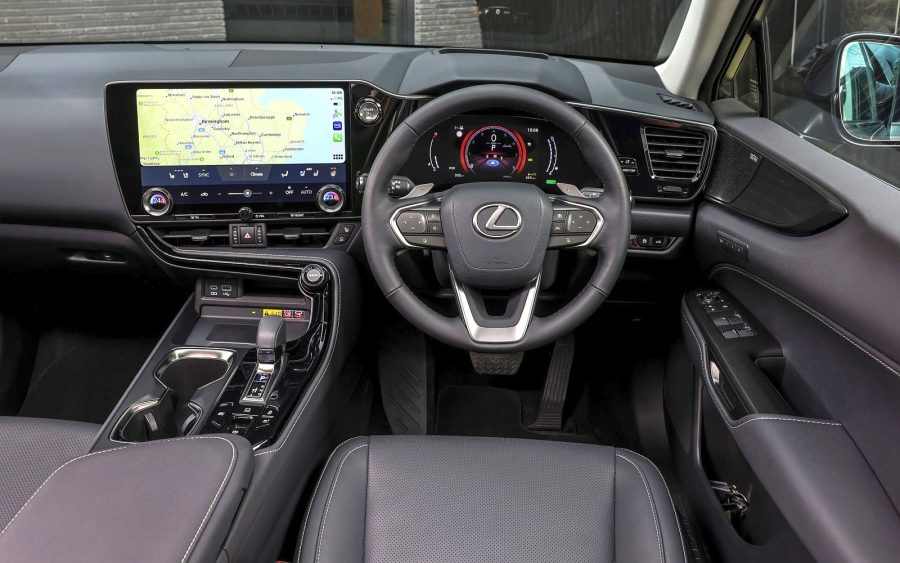
To manually override this automatic function, press the Settings icon on the main screen, then touch General within the sub-menu. Select the Date & Time option, after which you will be able to choose to manually set the time, select the time zone, and switch between 12- and 24-hour time display.
How do I change the time on a Lexus with Remote Touch Interface?
Models with Remote Touch Interface are designed to use GPS information and map data to automatically adjust the time. This function applies to both the digital clock within the multimedia system and analogue clock set into the dashboard.
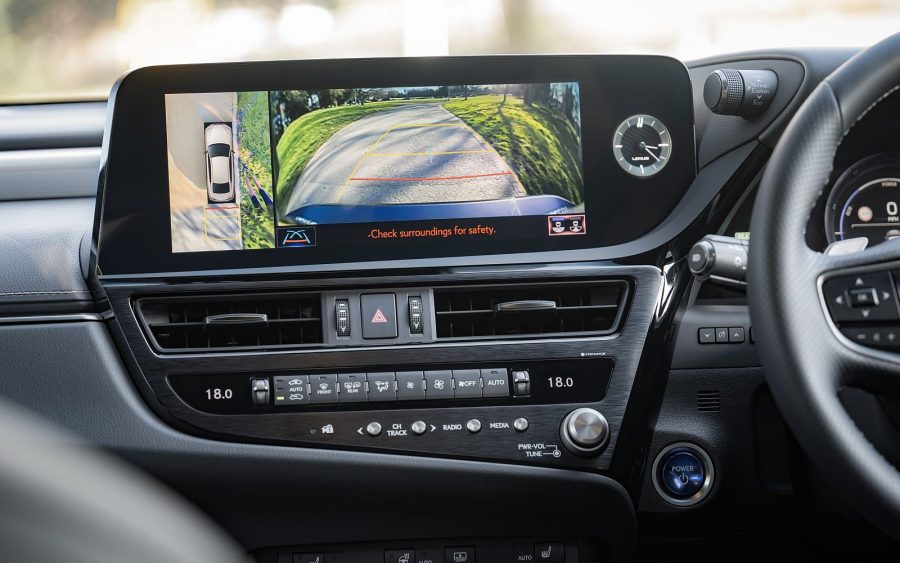
To manually override this automatic function, press the Menu button on the Remote Touch Interface and then select General Settings or Setup, followed by Clock. Here you can choose to manually set the time, select the time zone, switch between 12- and 24-hour time display (digital only), and choose whether you wish the clock to automatically adjust.
How do I change the clock on an older Lexus model?
Older Lexus models, especially those produced before 2010, used physical buttons next to the clock display to adjust the time.
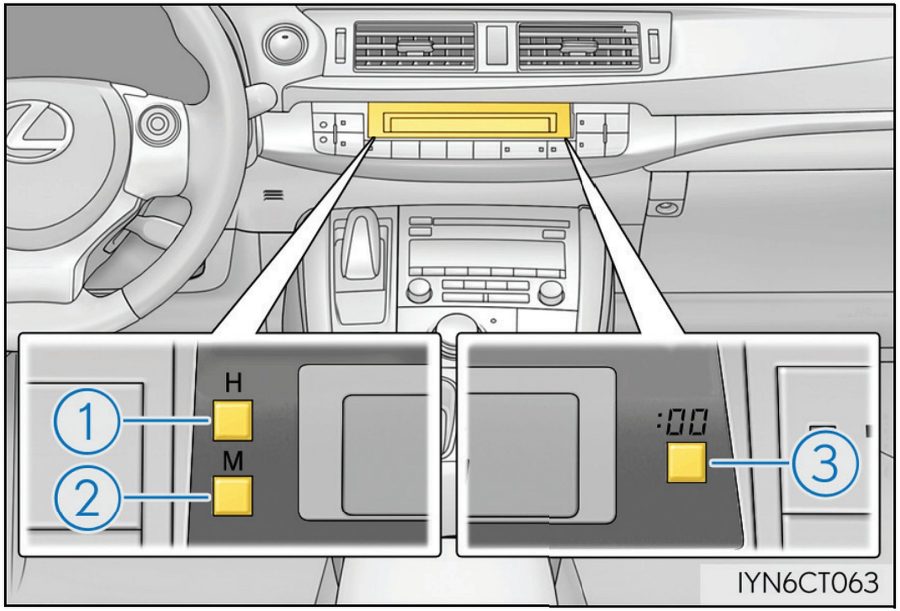
For models with a digital clock, such as the Lexus CT pictured below, pressing the H button (1) advances the clock by one hour, and the M button (2) by one minute. The :00 button (3) rounds to the nearest hour.
For models with an analogue clock, such as in the third-generation Lexus IS, pressing the button on the left moves the hands anti-clockwise and rewinds the time. Pressing the button on the right advances the hands clockwise.
FAQs
Why do the clocks change?
Clocks change twice a year to make better use of daylight. The practice was originally introduced to save energy and align waking hours with daylight.
Does my Lexus clock change automatically?
All new and many recent Lexus models automatically adjust the time using either connected services or GPS information and map data.
Why hasn’t my Lexus clock changed automatically?
Check whether automatic time adjustment is enabled in the vehicle’s settings. If your model does not support automatic adjustment, the time will need to be changed manually.
How can I tell which type of multimedia system is in my Lexus?
If you have a dedicated touchpad, joystick or mouse-like controller on the centre console of your Lexus, you have Remote Touch Interface. If your multimedia system is primarily operated through a touchscreen, you have either Lexus Link Connect or Lexus Link Pro.
What connected services are available in my Lexus?
Lexus UK provides a Connectivity Match service. This allows owners to enter their unique Vehicle Identification Number (VIN) to see what connected/multimedia services their particular vehicle supports.
What can I do if I do not have a hard copy of my owner’s manual?
Owners of Lexus models produced since 2012 can download a digital copy of their owner’s manual via this link on the Lexus UK website.




I have a UX 2021 model. None of the features here apply to my model. I used the handbook (but it took a while to find) and discovered that by going into the car settings there is a “daylight saving” option. Just press to take off the DLS mode and it automatically resets to GMT
My 2023 NX 350 has not auto updated the clock. Have checked the settings and they are set to Auto. So the time on the dashboard and on the multi media screen is one hour out. Not v impressive for a brand new, luxury branded vehicle!
I also still have no ‘Send To’ option on the Lexus Link + app. This after it has taken almost 5 months to even get the sat nav working.
Would appreciate contact from the Multimedia team as Dealership unable to resolve
Hello Jo, thanks for getting in touch.
We are sorry to hear you are experiencing this. Our Connectivity and Multimedia team would be more than happy to assist you.
The team can be contacted here under ‘multimedia’: https://www.lexus.co.uk/help-centre
Please let us know if you have any further queries.
Thanks.
Not impressed with my 2020 RX 450h that doesn’t tell proper time. None of these troubleshooting ideas applied to mine as well. Frustrating.
Hi Courtney, thanks for your comment.
Your local Lexus Centre will be more than happy to take a look at this in person for you.
Thanks,
Lexus UK
Hi,Can I adjust the brightness on the analogue clock on my 2021 NX 300F model Lexus.If so how ?.
Hi Timothy, thnaks for your comment.
Unfortunately, the display of the analogue clock cannot be changed, only in terms of the time itself.
Thanks,
Lexus UK
Can I display the day and date on my 21 UX250h?
Good morning Ron, thank you for your question.
You can view your owners’ manuals here: https://www.lexus.co.uk/owners/about-my-lexus/manuals
Alternatively, please let us know your registration so we can check this for you.
Thank you.
hi recently bought a ct 200 h from lexus sheffield it is supurb however recently parked in supermarket car park the t**t next too me squeezing between his car and mine pushed my door mirror on to side of car the door mirrors no longer detract has does the centre screen is some thing damaged please
Hi Paul, thanks for getting in touch.
Your local Lexus Centre will need to assess the damage in this case.
Thanks,
Lexus UK
I have a GS450h (2016) and find that every time I have to alter the DLS setting on the clock menu – frustrating – why doesn’t it ‘store’ the setting?
Hi Mark,
Please provide your full UK registration so we can advise further.
Thank you.
My RX450h (2019 Feb model) Takumi doesn’t adjust time automatically. I will have to do manually
Good morning,
Can you please provide us with your full registration so we can advise further?
Thank you.
Hi how do I change the hours on the digital clock on a RX450h Sport with navigation 2013
Hi Juan,
Please provide your full vehicle registration so we advise further.
Thank you.
I’m now on my second NX 300h, 2021 year, Reg. C5 WND. The only option I have for the Clocks are to change the dashboard clock setting from 12 or 24 hour display, no option as to how to reset both to eg BST, or better still, set them to GPS so that they change automatically. Help please! W
Good morning Wendy,
Please may we take your VIN so we can check this in your owner’s manual for you.
Thank you.